

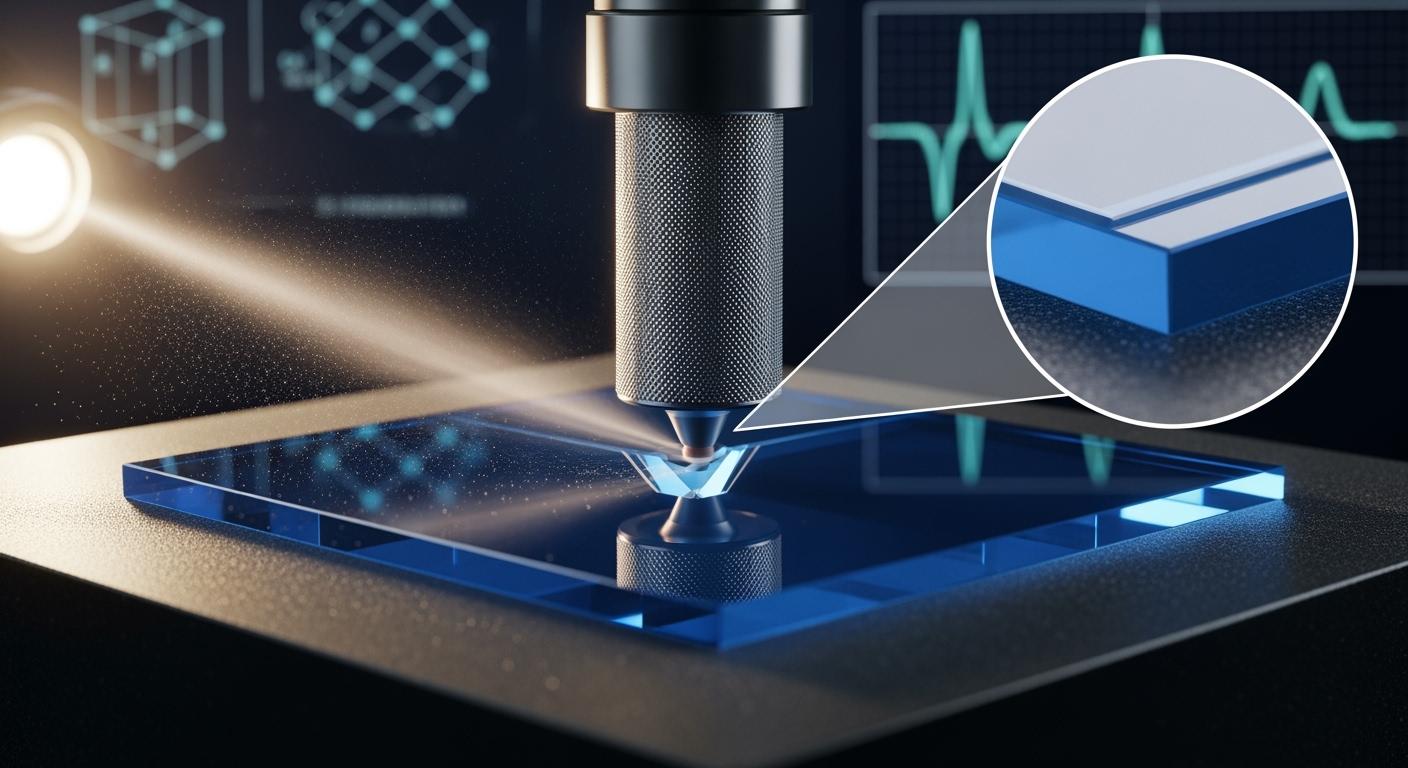
Grinding sapphire requires careful control to avoid edge micro-cracks. You need to select the right tools and optimize your process. Sapphire is a tough material. Sharp grit increases stress and can cause microcracks. Blunt grit helps reduce damage. High cutting forces and friction lead to uneven material removal and subsurface damage in sapphire. Using advanced abrasives from Aimgrind gives you better results and reduces risk. You must combine the best equipment, materials, and maintenance for sapphire grinding.
- Sharp grit increases stress and microcracks in sapphire.
- High friction and cutting force cause uneven removal and damage.
- Blunt grit lowers the chance of edge micro-cracks in sapphire.
Key Takeaways
- Choose the right abrasives, like diamond or CBN, to minimize edge micro-cracks in sapphire grinding.
- Control grinding parameters such as feed rate and pressure to avoid excessive stress and damage.
- Maintain a steady coolant flow to keep sapphire cool and reduce the risk of thermal micro-cracks.
- Use chamfering and beveling techniques to protect edges and enhance the strength of sapphire substrates.
- Regularly inspect and clean sapphire wafers to detect and prevent micro-cracks early.
Choose Abrasives for Sapphire
Super Hard Abrasives by Aimgrind
You need to select the right abrasive for sapphire grinding. Sapphire is a very hard material. The wrong abrasive can cause edge chipping and micro-cracks. Super hard abrasives, such as diamond and CBN, are the best choice for sapphire substrates. These abrasives have high hardness and durability. You get a sapphire cutting solution that lasts longer and gives a better finish.
Aimgrind offers super hard abrasives designed for precision grinding. You can use these tools for sapphire cutting solution in many industries. CVD diamond tools help you minimize edge micro-cracks. These tools resist wear and keep the surface smooth. You avoid abrasive grain pull-off, which prevents scratches on sapphire. You achieve excellent roughness and minimal subsurface damage. Sapphire cutting solution from Aimgrind gives you reliable performance and reduces downtime.
Ultrasonic vibration-assisted mechanical machining improves sapphire cutting solution. You get higher material removal rates and better surface finish. Cutting force drops, so you lower the risk of micro-cracks.
Fine Grit and Wheel Selection
You must choose the right grit size and wheel type for sapphire. Fine grit reduces mechanical stress and thermal damage. You lower the chance of edge micro-cracks. Specialized resin bond wheels work well for sapphire cutting solution. These wheels balance cutting ability and fine finish.
| Evidence Description | Impact on Edge Micro-Cracks |
|---|---|
| Using finer grits and specialized wheel types can help minimize mechanical stress and thermal damage during grinding. | Reduces the occurrence of edge micro-cracks in sapphire substrates. |
| Specialized resin bond wheels are formulated with unique fillers for ultra-hard surfaces. | Provides the right balance of cutting ability and fine finish, reducing damage. |
| Wheel Type | Application | Benefits |
|---|---|---|
| 1A1 resin bond diamond wheel | Precision grinding of sapphire and other hard materials | Excellent toughness, heat and vibration reduction, reliable performance in various grinding stages. |
You get a sapphire cutting solution that protects the edges and prevents edge chipping. Fine grit and the right wheel help you avoid micro-cracks and keep sapphire strong.
Optimize Grinding Parameters
Grinding sapphire needs careful control of every step. You must adjust the feed rate, speed, and pressure to avoid edge micro-cracks. Sapphire is a tough material. If you use too much force or move too fast, you risk edge chipping and surface damage. You can improve your sapphire cutting solution by following the right grinding parameters.
Control Feed Rate and Pressure
You must set the feed rate and pressure for each grinding stage. Sapphire responds best to gentle handling. If you push too hard, you create micro-cracks and rough edges. You can use the following table to guide your grinding process:
| Grinding Stage | Diamond Abrasive Size | Pressure (MPa) |
|---|---|---|
| Rough Grinding | 15–20 μm | 0.1–0.2 |
| Intermediate Grinding | 5–8 μm | N/A |
| Fine Grinding | 1–3 μm | <0.05 |
You start with rough grinding using larger diamond abrasives and moderate pressure. You move to intermediate grinding with smaller abrasives. You finish with fine grinding using the smallest abrasives and very low pressure. This step-by-step approach helps you avoid edge micro-cracks and keeps the sapphire strong. You get a sapphire cutting solution that protects the edges and prevents edge chipping.
Tip: Always monitor the grinding force. If you see sudden changes, stop and check the sapphire. You may need to adjust the feed rate or pressure.
Maintain Coolant Flow and Temperature
You must keep the sapphire cool during grinding. Heat builds up quickly and can cause micro-cracks. You need a steady flow of coolant to remove heat and debris. Coolant also helps your sapphire cutting solution by reducing friction and keeping the surface clean.
You can use water-based coolants or special fluids designed for sapphire. You must check the temperature often. If the coolant gets too warm, you risk thermal damage. You can set up sensors to monitor the coolant flow and temperature. This helps you react fast if something changes.
- Use a high-flow coolant system for sapphire grinding.
- Keep the coolant temperature below 25°C for best results.
- Clean the coolant system often to prevent blockages.
Note: Proper coolant flow keeps the sapphire surface smooth and prevents micro-cracks. You get a reliable sapphire cutting solution and extend the life of your grinding tools.
You control the grinding parameters to avoid edge micro-cracks. You protect the sapphire and improve your sapphire cutting solution. You keep the edges strong and prevent edge chipping. You get a smooth finish and high-quality results.
Edge Protection and Support
Chamfering and Beveling
You can protect the edges of sapphire substrates by chamfering and beveling. Chamfering removes sharp corners from the sapphire. Beveling creates a sloped edge. These steps help you reduce stress at the edge and prevent edge chipping. When you grind sapphire, sharp edges can crack easily. You avoid edge micro-cracks by smoothing the corners and making the edges less fragile.
You use a sapphire cutting solution that includes chamfering and beveling. This process makes the sapphire stronger. You get a surface that resists damage. Sapphire cutting solution with chamfered and beveled edges gives you better results in grinding and handling. You can use special grinding wheels from Aimgrind for this step. These wheels help you shape the sapphire without causing micro-cracks.
Tip: Always inspect the edges after chamfering and beveling. You can spot small cracks early and fix them before they grow.
Uniform Support Points
You need uniform support points when grinding sapphire. Uneven support causes stress and deformation. Sapphire cutting solution works best with even force distribution. You place the sapphire on a porous ceramic chuck. This chuck gives uniform support. You avoid edge micro-cracks because the forces spread out evenly.
- Uniform support points distribute the forces across the sapphire substrate.
- You reduce the risk of localized stress concentrations.
- Localized stress can cause deformation and micro-cracks, especially in thin sapphire wafers.
- Porous ceramic chucks provide stable and uniform support.
You use a sapphire cutting solution that includes uniform support. This method keeps the sapphire flat and strong. You avoid edge chipping and get a smooth finish.
You can add protective coatings or tapes to the edges. These materials shield the sapphire during grinding. You prevent scratches and micro-cracks. Sapphire cutting solution with edge protection gives you reliable results.
Note: Edge protection and support help you avoid edge micro-cracks and keep sapphire substrates strong during grinding.
Avoid Edge Micro-Cracks During Sapphire Wafer Maintenance
Real-Time Monitoring and Inspection
You need to pay close attention to sapphire wafer maintenance. Real-time monitoring helps you spot problems early. You can use advanced microscopes to check the surface of sapphire. These tools let you see tiny defects and micro-cracks before they grow. You should inspect wafers often. Early detection stops edge chipping and keeps the sapphire strong.
You must control the environment. Stable temperature and humidity protect sapphire from thermal stress. Moisture can cause surface issues. You keep the room steady to avoid edge micro-cracks. You also track each wafer batch. Good records help you find patterns and improve your sapphire cutting solution.
Here are three important routines for sapphire wafer maintenance:
- Keep temperature and humidity stable.
- Inspect surfaces with advanced microscopy.
- Document and track wafer batches.
Tip: You can use sensors to monitor conditions in real time. This helps you react quickly if something changes.
Ultrasonic Cleaning and Contaminant Removal
You must clean sapphire wafers carefully. Ultrasonic cleaning uses sound waves to remove dirt and particles. This method keeps the surface smooth and prevents micro-cracks. You avoid embedded abrasives that can scratch the sapphire. Clean wafers give you a better sapphire cutting solution.
You place the wafer in a bath. The ultrasonic waves shake loose any contaminants. You use pure water or special cleaning fluids. You check the wafer after cleaning. If you see any damage, you repeat the process. Clean sapphire wafers last longer and stay strong.
| Cleaning Method | Purpose | Result |
|---|---|---|
| Ultrasonic Cleaning | Removes dirt and abrasives | Smooth, clean surface |
| Manual Inspection | Checks for micro-cracks | Early crack detection |
You follow these steps for sapphire wafer maintenance. You protect the wafer from edge chipping and keep the surface free of micro-cracks. You get reliable results and extend the life of your sapphire cutting solution.
Post-Grinding Treatments for Sapphire
Gentle Polishing and Cleaning
You can improve sapphire surface quality after grinding by using gentle polishing and cleaning steps. These treatments help you avoid edge micro-cracks and keep the substrate strong. You use soft polishing pads and fine abrasives to smooth the surface. This process removes tiny scratches and reduces stress at the edges. You clean the sapphire with pure water or special fluids. You make sure no abrasive particles remain on the surface. Clean sapphire gives you better performance and longer life.
You follow these steps for gentle polishing and cleaning:
- Use soft polishing pads to protect the edges.
- Apply fine abrasives for a smooth finish.
- Clean with pure water or special cleaning fluids.
- Inspect the surface for micro-cracks and debris.
Tip: You should always check the sapphire after polishing. Early detection of micro-cracks helps you maintain high sapphire wafer properties.
Post-Process Annealing
You can use post-process annealing to heal micro-cracks and enhance sapphire surface quality. Annealing changes the crystal structure and improves domain alignment. You heat the sapphire to a specific temperature for a set time. This process reduces defects and restores the original surface.
| Annealing Temperature | Duration | Pressure |
|---|---|---|
| 450 °C | 12 hours | 1.0 × 10⁻¹⁰ mbar |
| 820 °C | 30 min | N/A |
You see clear improvements after annealing:
- The freshly annealed sapphire surface shows unidirectional domain orientation at 0°.
- After two weeks of air aging, new domains appear, which lowers surface quality.
- UV irradiation restores domain alignment and prevents extra domains.
- WS2 film on sapphire reaches circular helicity up to 60%, showing high quality.
You use post-process annealing as part of your sapphire cutting solution. This step helps you avoid edge micro-cracks and keeps the substrate strong. You get a smooth, high-quality surface ready for further processing.
You can avoid edge micro-cracks in sapphire by following these key steps:
- Use ductile machining for a smooth finish.
- Choose light loads and small grit sizes.
- Control lubrication and temperature.
- Select sharp, high-quality tools.
- Adjust feed rates and support materials.
- Apply cooling systems and inspect tools often.
| Parameter | Result |
|---|---|
| Material Removal Rate | > 1 μm/h |
| Surface Roughness (Ra) | ≤ 0.5 μm |
| Highest Material Removal Rate | 1.7 μm/min (prismatic coating) |
| Lowest Surface Roughness | 0.35 μm (spherical coating) |
You improve results by using Aimgrind’s super hard abrasives and professional support. Regular inspection and process improvement help you keep sapphire substrates at the highest quality.
FAQ
What causes edge micro-cracks in sapphire during grinding?
You often see edge micro-cracks when you use too much force, high speed, or the wrong abrasive. Heat and uneven support also increase the risk. Careful control of each step helps you avoid these cracks.
How do Aimgrind’s super hard abrasives help prevent micro-cracks?
You get a smoother finish and less edge damage with Aimgrind’s super hard abrasives. These tools use diamond or CBN grains. They last longer and keep the grinding process stable.
Why is coolant important when grinding sapphire?
Coolant keeps the sapphire cool and removes debris. You lower the chance of thermal cracks and surface damage. Always check coolant flow and temperature for best results.
Can you repair micro-cracks after grinding?
You can reduce micro-cracks with gentle polishing and post-process annealing. These steps smooth the surface and heal small defects. Early detection helps you fix problems before they grow.
Contact Us
For More Grinding Solution or Customized Abrasive Tools