

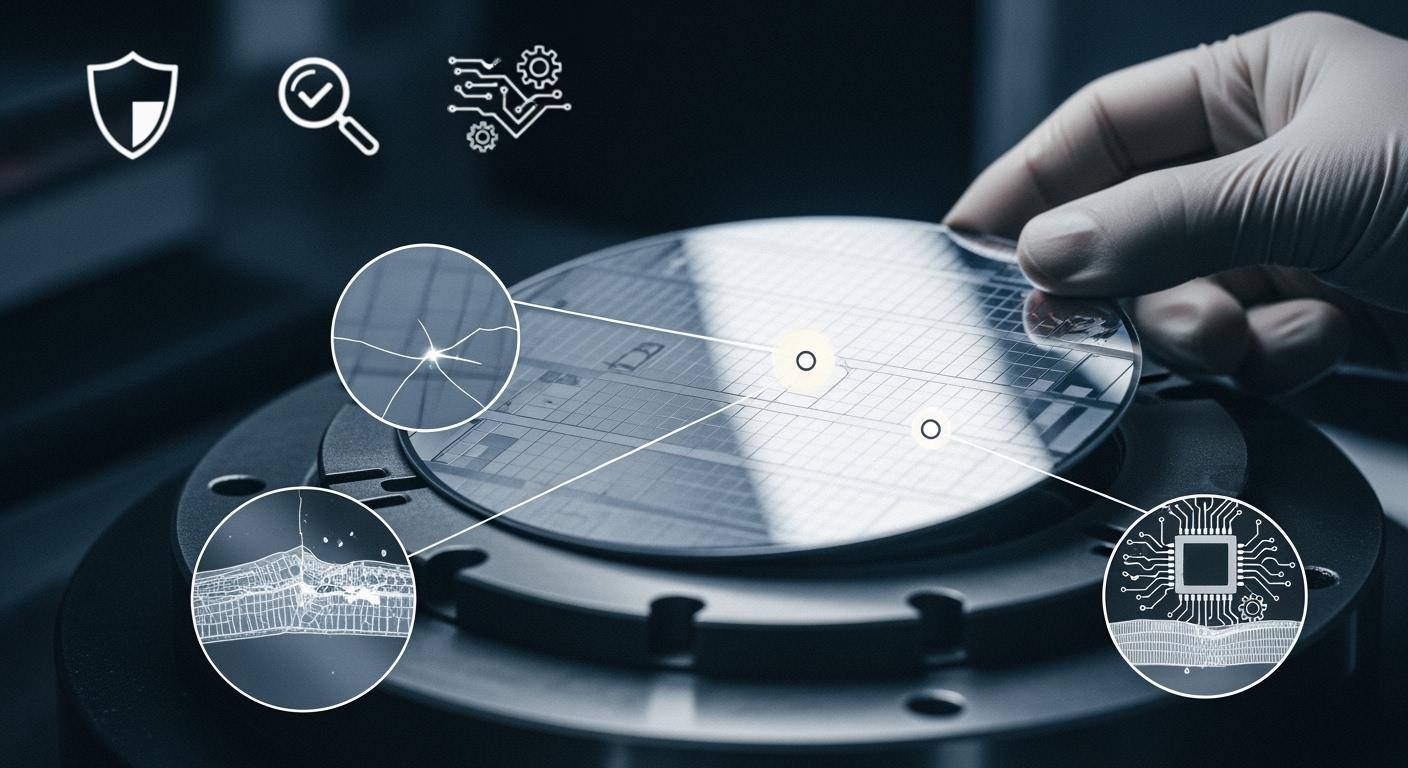
You can prevent wafer grinding cracks, chipping, and subsurface damage by choosing the right tools and controlling your process. If you use Aimgrind’s super hard abrasives, you get better results because they cut with less force and keep surfaces smooth. This helps you keep more wafers, improve reliability, and lower costs. The table below shows how using advanced abrasives reduces main defect risks and costs compared to older materials:
| Aspect | Silicon Carbide | Silicon |
|---|---|---|
| Main Defect Risks | Stress cracks, scratches | Orientation issues |
| Processing Efficiency | Very low | High |
| Processing Cost | Extremely high | Low |
Aimgrind’s expertise guides you step by step to Prevent Wafer Grinding defects and boost your production quality.
Key Takeaways
- Choose Aimgrind’s super hard abrasives for smoother cuts and fewer defects. These materials reduce stress on brittle wafers and improve overall quality.
- Adjust grinding parameters like wheel speed and feed rate to minimize chipping and cracks. Lower speeds and careful settings help maintain wafer integrity.
- Use coolant effectively during grinding to prevent overheating. Proper coolant flow reduces thermal stress and helps maintain wafer quality.
- Regularly inspect and maintain your grinding equipment. Keeping tools in good condition prevents wear that can lead to increased chipping and subsurface damage.
- Train your team on proper wafer handling and grinding techniques. Good training reduces mistakes and enhances the overall grinding process.
Wafer Grinding Defects Overview
Cracks Explained
You may notice cracks when you look at a wafer after grinding. Cracks form because the grinding wheel puts stress on the wafer surface. If you use a high feedrate, fast wheel speed, or coarse grit size, you increase the risk of cracks. These cracks can be deep or shallow. Sometimes, you see micro-cracks that are hard to spot without special tools. Cracks weaken the wafer and can lead to breakage during later steps.
Tip: Always check your grinding parameters to reduce the chance of cracks.
Chipping Defined
Chipping happens when small pieces break off the edge or surface of the wafer during grinding. You often see chipping during the dicing process, where you cut the wafer into smaller parts. Chipping can cause rough edges and may lead to device failure if not controlled. Here are some signs of chipping:
- You see rough or uneven edges on the wafer.
- The chips look worse if the cutting blade is worn or the laser power is too low.
- Some roughness is normal, but too much chipping is a problem.
- Automated inspection systems may miss small chips if the optics are not clear.
Chipping affects the quality of the wafer and can lower your yield.
Subsurface Damage
Subsurface damage is hidden below the wafer surface. You cannot see it with your eyes. This damage comes from the grinding process and can include cracks or an amorphous layer. You need special tools to find and measure subsurface damage. The table below shows some common ways to detect and study subsurface damage in wafers:
| Technique | Findings |
|---|---|
| Laser ultrasonic technology | Checks for subsurface damage using sound waves. |
| Laser micro-Raman spectroscopy | Finds stress and changes in the wafer structure. |
| Depth measurement with etching | Measures how deep the damage goes below the surface. |
| Amorphous layer correlation | Links the thickness of the damaged layer to changes in Raman signals. |
If you control grinding well, you can reduce subsurface damage and keep your wafers strong.
Why Prevent Wafer Grinding Defects
Impact on Yield
You want to keep as many good chips as possible from each wafer. When you see chipping or cracks after grinding, you lose usable chips. Even small chipping can lower your yield. If you let defects build up, you may throw away whole wafers. The table below shows how different defects affect your yield:
| Defect Type | Impact on Yield |
|---|---|
| Particle Contamination | Increases defect density, leading to failures |
| Surface Defects | Reduces functional chips per wafer |
Chipping can also make the wafer surface rough. High roughness leads to more defects and lower performance. You need to minimize roughness to keep your yield high. If you control grinding and reduce chipping, you get more working chips from each wafer.
Reliability Concerns
Chipping does not just lower yield. It also makes your devices less reliable. When you have chipping, you may see scratches or particle contamination on the wafer. These problems can cause circuits to fail later. You may notice:
- Scratches from large particles or hard contaminants during grinding
- Particle contamination that sticks to the wafer and causes short circuits
- Non-uniform etching that affects how well your devices work
- Surface chemical contamination that leads to more chipping
- Global planarity issues that make the wafer uneven
- Surface roughness that lowers device performance
Chipping can speed up aging, cause current leakage, and reduce thermal stability. If you want your devices to last, you must prevent chipping during grinding.
Cost Factors
Chipping increases your costs in many ways. When you lose chips to chipping or other grinding defects, you waste materials and time. You may need to rework or scrap wafers, which costs money. Chipping can also lead to more inspections and repairs. If you use the right grinding tools and control chipping, you save money and improve your process. You also avoid extra steps and keep your production line running smoothly. Less chipping means fewer problems and lower costs for you.
Causes of Cracks, Chipping, and Subsurface Damage
Mechanical Stress
You face mechanical stress every time you use the backgrinding process on brittle materials like silicon wafers. This stress can cause cracks, chipping, and subsurface damage. When you grind brittle materials, the grinding wheel pushes against the wafer. This force can make the wafer bend or warp. If you do not control the stress, you see more cracks and chipping. The table below shows how different types of mechanical stress affect wafer grinding:
| Findings | Implications |
|---|---|
| Grinding with new SAGW produced a surface roughness of about 0.5a | Surface roughness can increase cracks and chipping during grinding. |
| Subsurface damage layer of about 103 additives and silicon material occurred during grinding | Subsurface damage is a key factor in mechanical stress leading to cracks. |
| A soft reactant layer was generated on the ground surface | Removing this layer during grinding can add more stress and cause damage. |
| Study investigates warping of silicon wafers in ultra-precision grinding | Machining stresses can warp wafers and cause cracks or subsurface damage. |
| Mathematical model correlates wafer warping with machining stresses | Specific stresses can lead to warping, cracks, and subsurface damage. |
| Analyzes interactions between wafer and vacuum chuck | External mechanical factors can increase internal stress and damage. |
You can reduce wafer stress by controlling how you hold and grind the wafer. This helps you get rid of cracks and keep the wafer strong.
Tool Wear and Material Properties
Tool wear is a big reason you see more chipping and damage in brittle materials. As your grinding wheel wears down, it loses its sharpness. This makes the grinding less smooth and increases surface roughness. You see more chipping and subsurface damage. Here are some ways tool wear affects your grinding:
- Tool wear increases surface roughness and subsurface damage in brittle materials.
- Fracture of abrasive grits and wheel bond wear change grinding performance.
- Severe wear leads to more friction, higher cutting force, and more chipping.
If you use a worn tool on brittle wafers, you risk more cracks and damage. Always check your grinding wheel and replace it when needed.
Process Parameters
The way you set your grinding process controls how much chipping and damage you get. Key parameters include wheel speed, wafer speed, and feed rate. Studies show that these settings have a big effect on brittle materials during the backgrinding process. The table below shows what researchers found:
| Study | Key Findings |
|---|---|
| Pei et al. | Roughness depends on wheel speed, wafer speed, and feed rate. |
| Luo et al. | Wheel speed affects roughness more than wafer speed. |
| Zhang et al. | Feed rate is most important for controlling roughness and chipping. |
| Yan et al. | Negative tool rake angles and low grinding speeds increase subsurface damage. |
If you want to reduce chipping and damage in brittle materials, you must adjust your process parameters. Focus on reducing stress and damage by setting the right speeds and feed rates during the backgrinding process.
Prevent Wafer Grinding Cracks and Subsurface Damage
Optimize Grinding Parameters
You can prevent wafer grinding cracks and subsurface damage by adjusting your grinding parameters. Start by setting the right wheel speed and feed rate. If you use a high feed rate, you increase the risk of chipping and cracks. Lower feed rates help you control the grinding force on brittle wafers. Adjust the wheel speed to match the hardness of your wafer. A slower wheel speed can reduce chipping, especially when you work with brittle materials. Always check the depth of cut. A deep cut can cause more stress and lead to cracks. Use a shallow cut to keep the wafer safe. You should also monitor the pressure during grinding. Too much pressure can cause chipping and subsurface damage. By fine-tuning these parameters, you can prevent wafer grinding defects and keep your wafers strong.
Tip: Record your grinding settings for each batch. This helps you find the best parameters for different wafer types.
Use Coolant Effectively
Coolant plays a key role when you want to prevent wafer grinding cracks and subsurface damage. When you grind brittle wafers, heat builds up fast. If you do not use coolant, the wafer can overheat. This heat causes thermal stress and leads to cracks or chipping. Coolant helps you in three ways. First, it cools the wafer and the grinding wheel. Second, it lubricates the grinding area, which lowers friction. Third, it washes away debris that can scratch the wafer. Studies show that using coolant can lower subsurface damage depth from 9.78 micrometers to 8.23 micrometers. This means you get fewer cracks and less chipping. Always make sure the coolant flows evenly over the wafer during grinding. Check the coolant type and flow rate for each process. If you use coolant the right way, you can prevent wafer grinding problems and protect your brittle wafers.
Select Aimgrind Super Hard Abrasives
Choosing the right grinding wheel is one of the best ways to prevent wafer grinding cracks and subsurface damage. Aimgrind’s super hard abrasives use diamond and CBN grains. These grains are much harder than traditional materials. When you use these wheels, you get a smoother cut with less force. This reduces chipping and stress on brittle wafers. Super hard abrasives also last longer, so you do not need to change wheels as often. This keeps your grinding process stable and helps you prevent wafer grinding defects. Aimgrind offers different bond types and grit sizes. You can pick the best wheel for your wafer type. If you want to prevent wafer grinding cracks, always use a wheel that matches your wafer’s hardness and brittleness. Aimgrind’s experts can help you choose the right abrasive for your needs.
Note: Using Aimgrind super hard abrasives helps you get better surface finishes and fewer defects.
Maintain Equipment
You need to keep your grinding equipment in top shape if you want to prevent wafer grinding cracks and subsurface damage. Check your grinding wheels for wear before each use. A worn wheel can cause more chipping and stress on brittle wafers. Clean your equipment often to remove debris that can scratch the wafer. Make sure all moving parts work smoothly. If you hear strange noises or see uneven grinding, stop and inspect the machine. Replace worn parts right away. Calibrate your equipment on a regular schedule. This keeps your grinding process accurate and helps you prevent wafer grinding problems. Good maintenance also extends the life of your grinding wheels and reduces downtime.
Regular checks and cleaning help you avoid unexpected chipping and keep your wafers safe.
Prevent Chipping During Wafer Grinding
Chipping in grinding can lower your wafer yield and cause hidden damage. You can prevent chipping by using the right grinding wheels, setting the best speeds, and handling wafers with care. Aimgrind has deep experience in making customized grinding wheels that help you reduce chipping in grinding. Their team matches the wheel to your wafer type and process, so you get fewer chips and better results. Let’s look at the best ways to prevent chipping during wafer grinding.
Choose Finer Grain Wheels
You can reduce chipping in grinding by choosing wheels with a finer grain size. Finer grains cut the wafer surface more smoothly. This lowers the risk of chipping, especially when you work with brittle materials. Aimgrind offers grinding wheels with small grain sizes that help you get a clean edge and less workpiece chipping. When you use a wheel with a smaller average grain size, you see fewer chips and less stress on the wafer. This is important for brittle wafers, where even small chips can lead to bigger problems later.
Tip: Always match the grain size of your grinding wheel to the brittleness of your wafer. Finer grains work best for brittle wafers and help prevent chipping.
Adjust Wheel and Workpiece Speed
The speed of your grinding wheel and the wafer both affect chipping in grinding. If you set the wrong speed, you can cause more chipping and stress. Studies show that lower feed rates and the right spindle speed can reduce chipping in grinding. For example:
- Liu et al. found that wire speed, swing angle, and dicing depth change the cutting force and help control chipping.
- Agudon et al. showed that lower feed rates make the edge chipping more stable and reduce chipping in grinding.
- Wang et al. suggested using a spindle speed of 20,000 rpm and a feed rate of 4 mm/s to lower chipping in grinding for silicon carbide wafers.
- Su et al. found that a spindle speed of 50,000 rpm and a dicing depth of 50 μm can greatly reduce edge chipping in grinding.
You should test different speeds to find what works best for your wafer and grinding process. Aimgrind can help you set the right parameters for your grinding wheels and wafers.
Handle Wafers Properly
Proper handling is key to prevent chipping during grinding. If you drop or bend a wafer, you can cause cracks or workpiece chipping before grinding even starts. You should always use clean gloves and tools to move wafers. Place wafers gently on the grinding machine. Do not stack wafers or press them too hard. Best practices include:
- Learn how chipping happens so you can improve your yield.
- Pick grinding wheels with smaller grain sizes to reduce chipping in grinding.
- Adjust your grinding settings to lower damage during the process.
Brittle wafers need extra care. If you handle them gently, you lower the risk of chipping and stress. Aimgrind’s team can train your staff on the best ways to handle wafers and set up your grinding process for less chipping in grinding.
Remember: Careful handling and the right grinding setup help you prevent chipping and keep your wafers strong.
Identifying and Troubleshooting Wafer Damage
Inspection Methods
You need to check for chipping and other problems after grinding. You can use different inspection methods to find out if your wafer has chipping or hidden damage. Some methods let you see the surface, while others help you look inside the wafer. Here are some ways you can inspect for chipping and damage:
- Destructive methods, like angle polishing or cross-sectioning, let you see chipping and cracks up close. You can also use transmission electron microscopy or chemical etching to spot tiny chips. These methods take time and only show a small area.
- Non-destructive methods help you scan the whole wafer for chipping and subsurface problems. You can use scanning infrared depolarization, micro-infrared photoelasticity, or resonance ultrasonic vibrations. Laser-based acoustic microscopy and confocal laser scanning microscopy also help you find chipping without harming the wafer. Some people use an annular illumination system to spot chipping on the surface.
Tip: Use non-destructive methods first to save time and keep your wafer safe.
Distinguish Normal vs. Abnormal Damage
You need to know the difference between normal chipping and abnormal chipping. Normal chipping is small and does not affect how your wafer works. You may see tiny chips at the edge after grinding, but these do not cause problems. Abnormal chipping is bigger or deeper. It can reach into the wafer or spread across the surface. This kind of chipping can lead to cracks or even break the wafer. If you see large chips, deep pits, or cracks, you should stop and check your grinding process.
Troubleshooting Tips
You can fix chipping problems if you know what to look for. Start by checking your grinding wheel for wear. A worn wheel can cause more chipping. Make sure you use the right wheel for your wafer type. Adjust your grinding speed and feed rate if you see too much chipping. Use enough coolant to keep the wafer cool and reduce chipping. Handle wafers gently to avoid extra chipping before and after grinding. If you still see chipping, ask Aimgrind for help. Their team can help you choose the best wheel and settings to lower chipping and keep your wafer strong.
Continuous Improvement with Aimgrind
You can keep your grinding process strong by focusing on continuous improvement. Aimgrind supports you with a full service process that helps you reduce chipping and improve results over time. Here is how you can use data, feedback, and training to make your process better every day.
Data Collection
You should collect data from every grinding batch. Track the number of wafers with chipping, the size of each chip, and the grinding settings you used. Write down when you see more chipping or when the process runs smoothly. Use simple tables or charts to spot trends. If you see a rise in chipping, you can act fast. Data helps you find the best grinding settings and the right time to change your wheel. Aimgrind can help you set up easy ways to collect and review this data.
Process Feedback
You need to give feedback on your grinding process. After each batch, talk with your team about chipping. Share what worked and what did not. If you see less chipping, note what you changed. If chipping gets worse, look for the cause. Use feedback to adjust your grinding speed, wheel type, or coolant flow. Aimgrind experts can review your feedback and suggest changes. This teamwork helps you keep chipping low and wafer quality high.
Technician Training
You should train your technicians to spot chipping early and handle wafers with care. Teach them how to use Aimgrind’s grinding wheels and how to set the right parameters. Show them how to check for chipping and what to do if they find it. Good training means fewer mistakes and less chipping. Aimgrind offers training sessions and guides to help your team stay sharp. When your technicians know what to do, you see better results and fewer problems.
Note: Continuous improvement with Aimgrind means you always look for ways to lower chipping and keep your wafer process strong.
You can prevent cracks, chipping, and subsurface damage by using the right grinding wheels, adjusting your process, and handling wafers with care. Recent research highlights the need to reduce brittle fractures and improve surface quality.
- Automation and real-time monitoring help you keep grinding consistent and efficient.
- Smart grinding and in-situ metrology improve yield and lower costs.
- The table below shows how new challenges are solved:
| Challenge | Solution |
|---|---|
| High investment costs | Automation and AI integration |
| Strict regulations | Advanced grinding technologies |
| Environmental impacts | Innovative processing methods |
Aimgrind’s super hard abrasives and expert support help you achieve the best wafer results. Keep monitoring your process and work with Aimgrind to stay ahead.
FAQ
What causes cracks during wafer grinding?
You often see cracks when the grinding force is too high or the grinding wheel is worn. Using the wrong parameters or not enough coolant can also cause cracks. Always check your equipment and settings before you start.
How can you reduce chipping in wafer grinding?
You can reduce chipping by choosing a finer grain grinding wheel and adjusting the wheel speed. Handle wafers carefully and use enough coolant. Regularly check your grinding equipment for wear.
Why is subsurface damage a problem?
Subsurface damage weakens the wafer and can lead to device failure later. You may not see this damage on the surface, but it can affect the performance and reliability of your final product.
How do Aimgrind super hard abrasives help?
Aimgrind super hard abrasives use diamond or CBN grains. These materials cut smoothly and last longer. You get fewer defects and better surface finishes. Aimgrind experts can help you choose the best abrasive for your needs.
Contact Us
For More Grinding Solution or Customized Abrasive Tools